The Warm/Cool tool creates a color temperature offset, making the image warmer (more orange) or cooler (more blue). There is an additional Tint bias adjustment to move the color towards green or red.

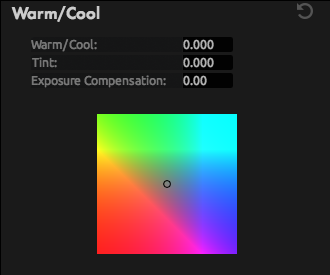
Warm/Cool: Offsets color temperature (left and right on the color map).
Tint: Offsets the color toward red or green (up and down on the color map).
Exposure Compensation: Corrects for any resulting changes in overall exposure.